
MagicSync Features
MagicSync is a social media management platform that helps you schedule posts, manage accounts, generate content, and analyze performance from a single dashboard.
Scheduling
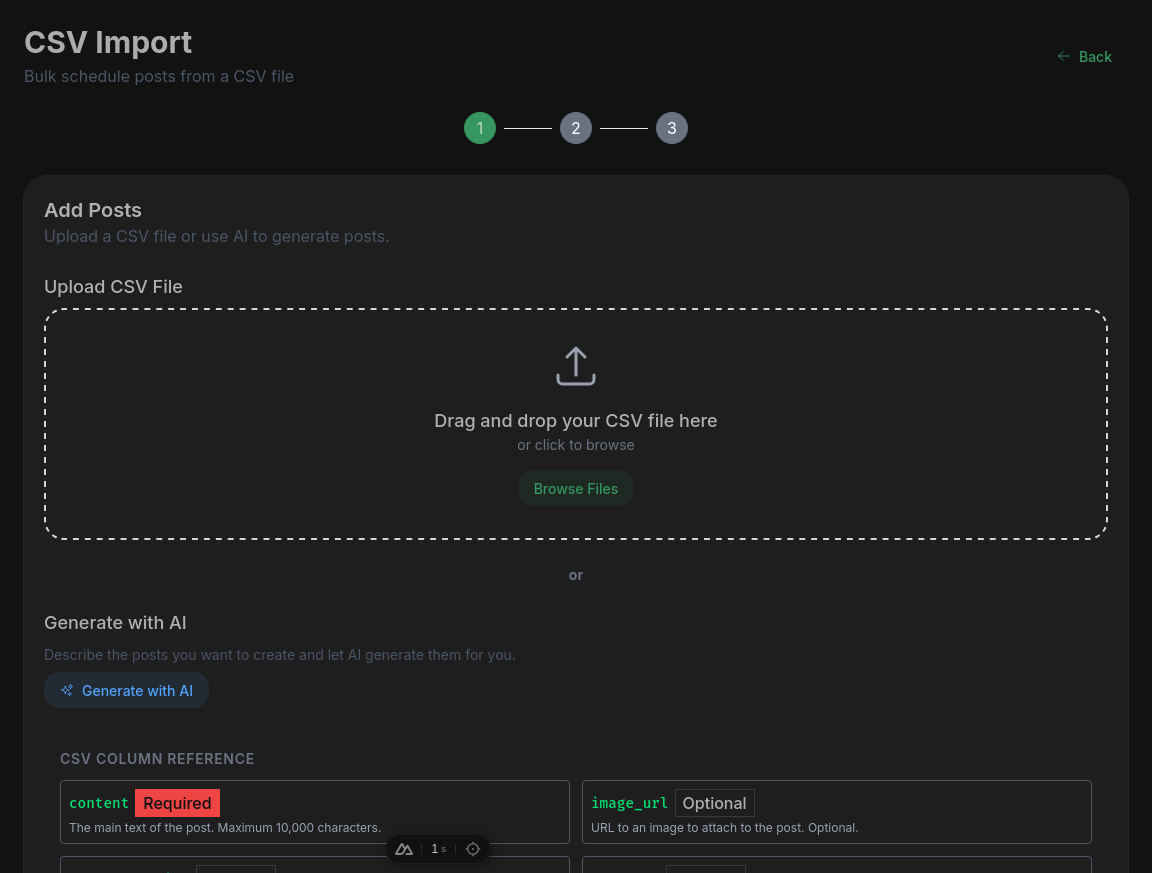
Publish to Multiple Platforms
Create a post once and publish it to multiple social networks:
- X (Twitter)
- TikTok
- YouTube
- Google My Business
- Discord
- Threads
- Bluesky
- WordPress
- Dev.to
Example: Write a product announcement once and schedule it to go out on Facebook, Instagram, LinkedIn, and X at the same time.
Calendar and Bulk Scheduling
- Schedule for later — Plan posts in advance.
- Bulk upload — Upload hundreds of posts via CSV.
- Calendar view — See all scheduled posts at a glance.
- Time zone support — Schedule posts for audiences in different regions.
- Recurring posts — Repeat posts automatically on a schedule.
Example: Upload a CSV with 30 posts for the month and let MagicSync publish them automatically at the best times.
AI Content Generation
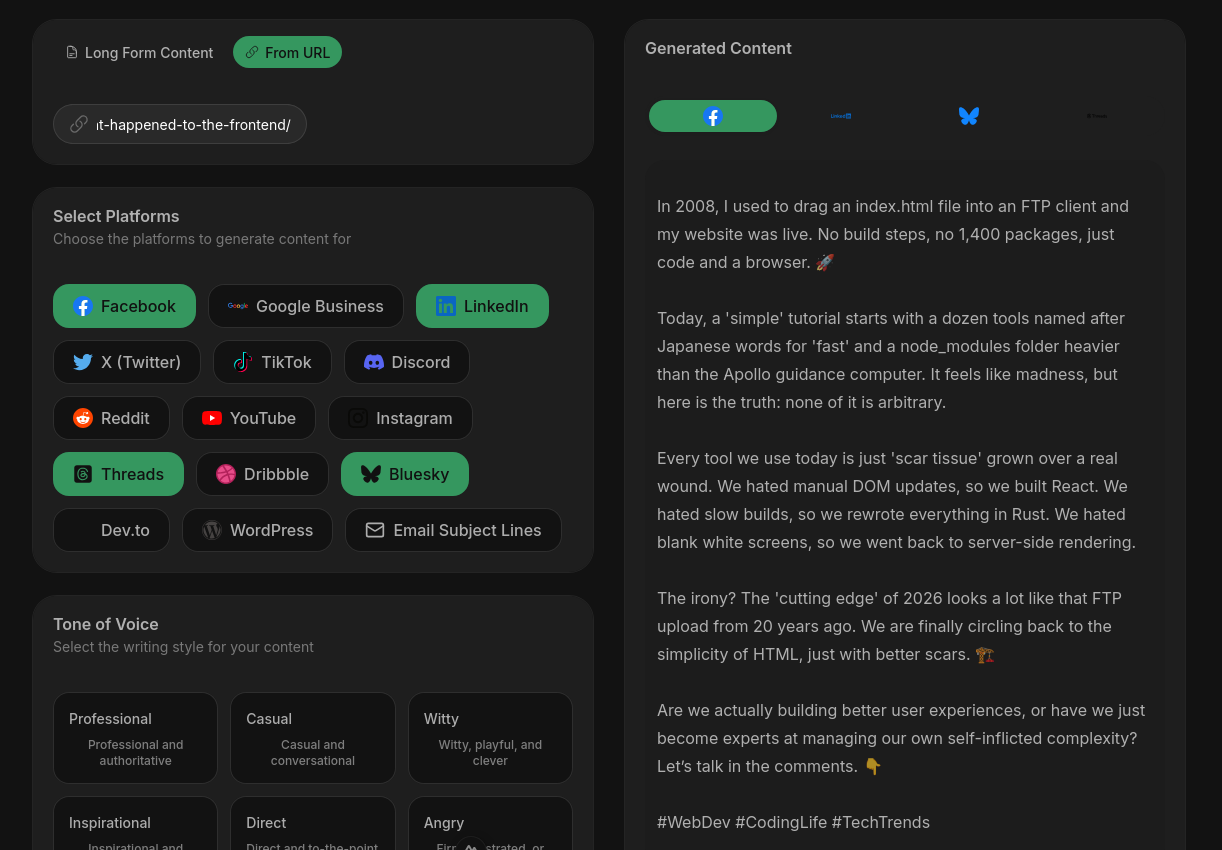
MagicSync includes AI tools to help generate and refine content.
| Feature | Description |
|---|---|
| Idea generation | Generate post ideas from a topic |
| Caption writing | Turn a brief description into a full caption |
| Hashtag suggestions | Get relevant hashtags for a post |
| Bulk creation | Generate multiple posts at once |
| Holiday content | Create seasonal posts automatically |
Example: Enter "Monday motivation for a coffee shop" and the AI returns a ready-to-post caption with hashtags.
Example: Generate 20 post ideas for a holiday campaign in one click.
Analytics
Track the performance of your social media content:
- Likes, comments, shares, and views
- Follower growth
- Engagement rates
- Best posting times
- Platform-specific metrics
- Exportable reports (PDF, CSV)
Team Collaboration
Invite team members and manage permissions:
- Roles — Admin, Editor, Viewer
- Approval workflows — Require approval before publishing
- Task assignment — Assign posts to team members
- Comments — Leave feedback on drafts
- Activity log — Track changes and actions
- Workspaces — Separate projects or clients
Media Library
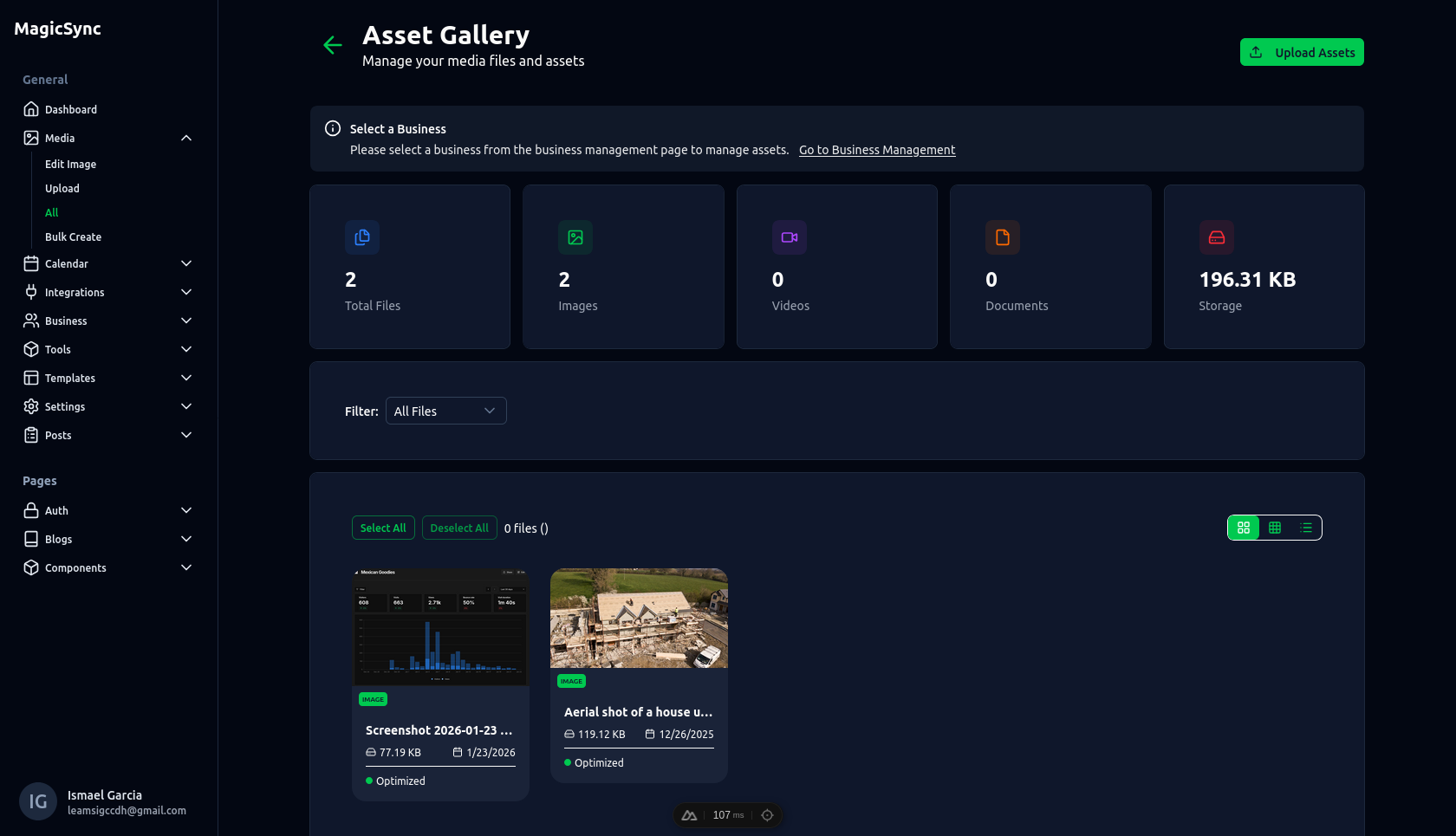
The Media Library stores all your images, videos, and other assets in one place.
- Unlimited storage
- Folders and tags
- Built-in image editor
- Bulk uploads
- Support for JPG, PNG, GIF, WebP, MP4, MOV, and more
Example: Upload all your product photos for the month, organize them by campaign, and attach them to posts directly from the library.
Automation
Automate repetitive tasks:
- RSS feeds — Auto-post from blogs
- Evergreen content — Reshare top-performing posts
- Auto-responses — Reply to common comments
- Hashtag groups — Save and reuse hashtag sets
- Templates — Create reusable post templates
- Integrations — Connect with Zapier, Make.com, and n8n
Example: Connect your blog's RSS feed so every new article is automatically shared to LinkedIn and Twitter.
Cross-Platform Support
MagicSync works on desktop, tablet, and mobile devices. The interface adapts to any screen size, so you can manage content on the go.
Security and Privacy
- Encryption — Data is encrypted in transit and at rest
- Self-hosting — Run MagicSync on your own infrastructure
- Two-factor authentication — Add an extra layer of security
- Role-based permissions — Control what each user can do
- Activity logs — Monitor account activity
- GDPR compliance — Manage user data responsibly
Customization
- Upload your own logo
- Use your own domain
- Switch between light and dark mode
- Add custom fields
- Use the API to build custom integrations
Growth Strategy and Content Pipeline
The Growth Strategy tool helps you plan, record, and publish content systematically.
Growth Dashboard
Located at /app/ai-tools/growth-stratergy
- Next Steps — Checklists for today, this week, and this month
- Key Principles — Core guidelines for social media growth
- Action Plan — 7, 30, and 90-day plans
Content Pipeline
Located at /app/ai-tools/growth-stratergy/create
- Dream and Hook — Generate ideas and choose a hook style
- Record — Use the built-in teleprompter with speed control and focus mode
- Edit Checklist — Verify hook, value, and call to action
- Upload — Publish or schedule the final video
Data Analytics
Located at /app/ai-tools/growth-stratergy/data
Input metrics such as views, click-through rate, watch time, and engagement rate to receive actionable recommendations.
Free Tools
MagicSync includes a set of free creative tools:
| Tool | Description | Path |
|---|---|---|
| Image Editor | Edit images and add text | /tools/image-editor |
| Flutter Clipper | Generate Flutter clip paths | /tools/flutter-clipper |
| Video Silence Remover | Remove silent video segments | /tools/video-silence-remover |
| Text Behind Image | Layer text behind image objects | /tools/text-behind-image-free |
| Audio Transcription | Transcribe audio and video | /tools/audio-transcription |
| Audio Player | Play audio with waveform | /tools/audio-player |
| Podcast Player | Discover podcasts | /tools/podcast |
| Video Cropper | Crop and subtitle videos | /app/tools/video-cropper |
| Text to Speech | Convert text to speech | /app/tools/text-to-speech |
Learn more in the Free Tools Guide.
Integrations
MagicSync connects with other tools and services:
- Zapier — Connect to thousands of apps
- Make.com — Build advanced automation workflows
- n8n — Self-hosted automation
- Webhooks — Custom integrations
- RSS feeds — Auto-post from blogs
Getting Started
- Installation — Set up MagicSync
- Quick Start — Create your first post
- Platform Keys — Connect social accounts
- Free Tools — Explore the creative tools