Dashboard Sidebar — Desktop Collapse Toggle
The dashboard shell (packages/auth/app/layouts/DashboardLayout.vue) has a collapsible sidebar. On small screens the header's hamburger opens the drawer — but on desktop there was no way to collapse the sidebar to its icon rail.
The header now carries both toggles, and CSS decides which one is visible:
<!-- packages/auth/app/layouts/dashboard/Header.vue -->
<UDashboardSidebarToggle class="rounded-xl" />    <!-- mobile: base "lg:hidden" -->
<UDashboardSidebarCollapse class="rounded-xl" />  <!-- desktop: base "hidden lg:flex" -->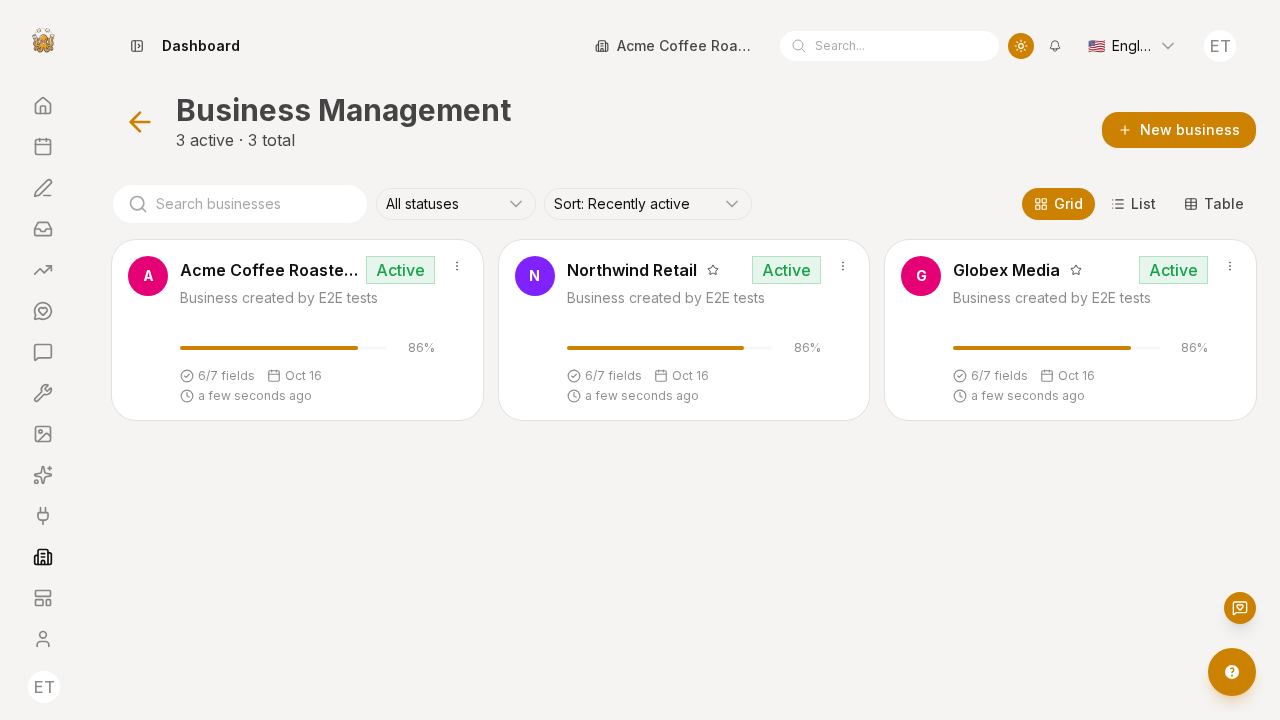
Why it is two components, not one
Nuxt UI v4 ships a pair of purpose-built buttons whose themes are exact complements:
| Component | Theme base | Behaviour |
|---|---|---|
UDashboardSidebarToggle | lg:hidden | opens/closes the drawer (mobile) |
UDashboardSidebarCollapse | hidden lg:flex | collapses/expands the inline sidebar (desktop) |
They talk to the same dashboard context (UDashboardGroup provides sidebarOpen, toggleSidebar, sidebarCollapsed, collapseSidebar) and the sidebar reacts to the matching runtime hooks — so dropping the collapse button in is all that is needed. No state has to be lifted for the button to work: UDashboardSidebarCollapse reads sidebarCollapsed from the context and flips it, and UDashboardSidebar syncs isCollapsed back into that context.
Requirements
UDashboardSidebarmust becollapsible. The layout already sets it — without it,collapseSidebaris a no-op (useResizable's setter returns early whencollapsibleis false).- The buttons must be rendered inside
UDashboardGroup(the header is), oruseDashboard()has no context and the click does nothing.
How the collapsed state looks
The sidebar root theme is hidden lg:flex … min-w-16 w-(--width). Collapsing sets --width: 0, but min-w-16 keeps a 4rem icon rail rather than hiding the sidebar entirely. The state persists in a cookie (useResizable storage), so a reload keeps the sidebar collapsed.
Verify
pnpm --filter @local-monorepo/site exec playwright test posts-feed-business.spec.ts --reporter=listThe spec asserts the sidebar root's data-collapsed attribute flips false → true → false when the two buttons are pressed, and captures /img/screenshots/app-business/sidebar-collapsed.png.
Gotcha
The visible toggle's accessible name comes from the Nuxt UI locale ("Collapse sidebar" / "Expand sidebar"), not this app's i18n — so Playwright selects it with getByRole('button', { name: 'Collapse sidebar' }).