
Business Directory — Grid / List / Table
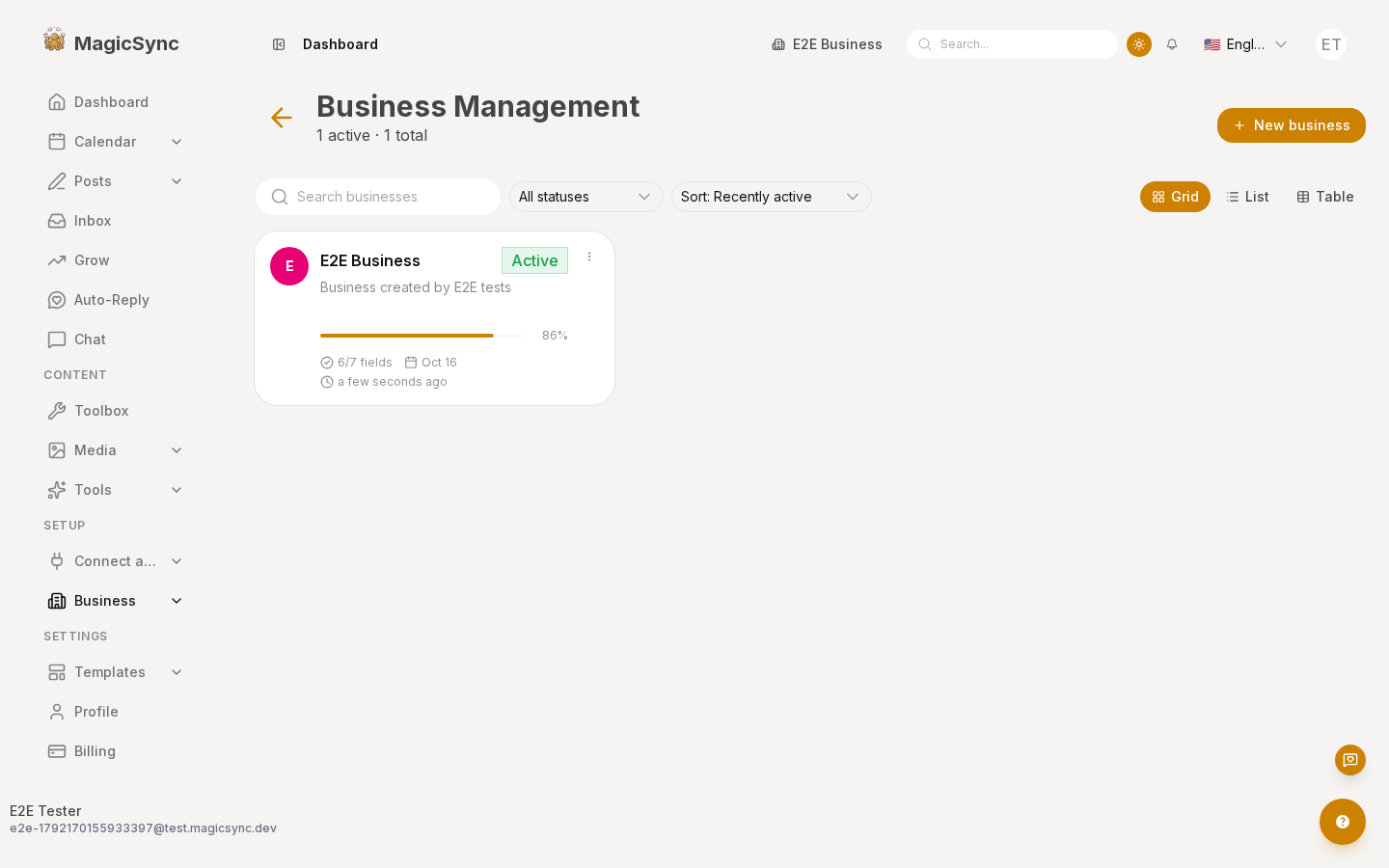
/app/business used to be a flat grid of small cards with no way to search, filter, sort or switch layout. It is now a directory with a shared toolbar and three view modes.
What changed
| Area | Before | After |
|---|---|---|
| Header | title + description | title + {active} active · {total} total + a New business button |
| Toolbar | — | search, status filter, sort, Grid/List/Table switcher |
| Views | one card grid | Grid, List, Table |
| Card | big dashed "Add Business" tile in the grid | header CTA opens the same wizard |
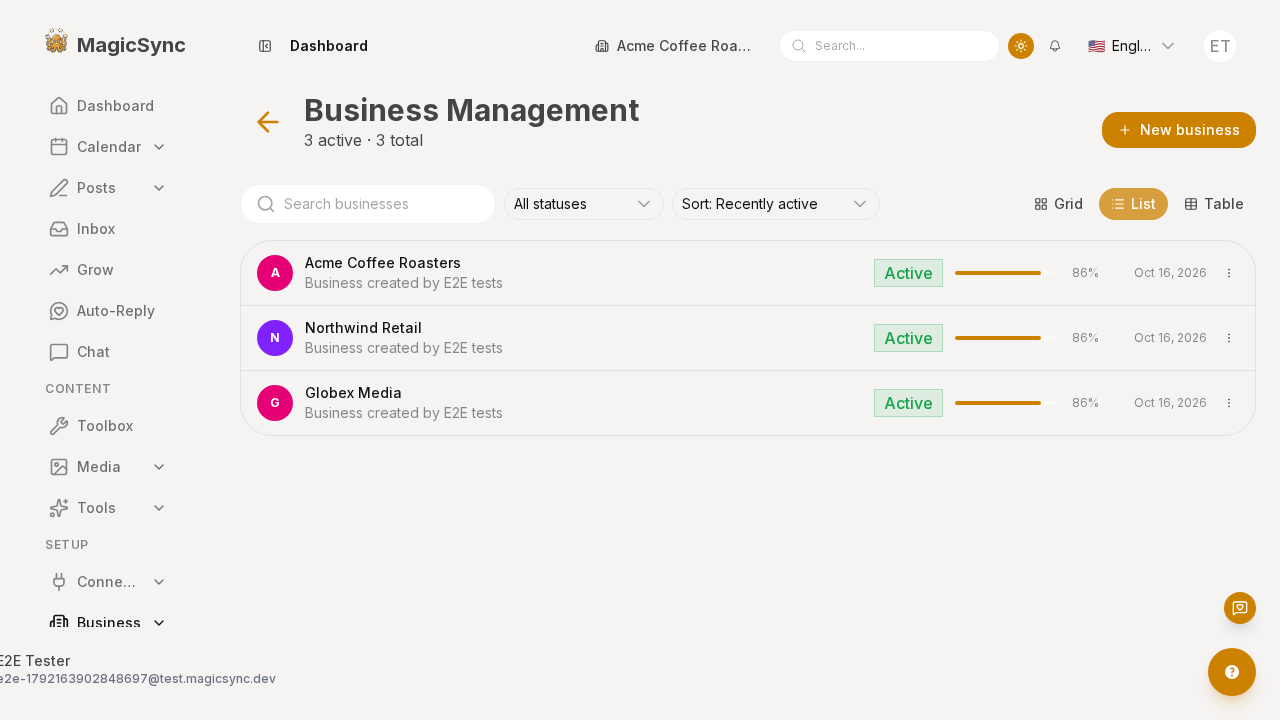
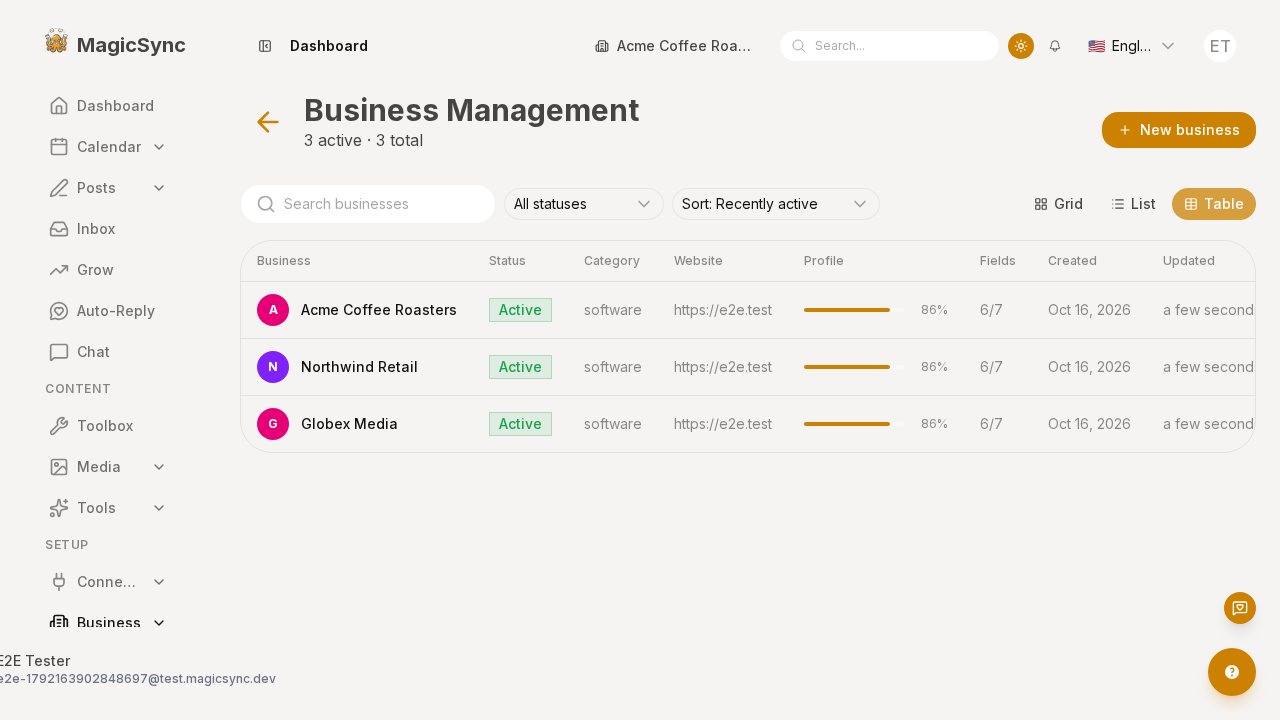
List and table views:
How it works
Derived presentation facts
BusinessProfile carries only name, description, address, phone, website, category, isActive, createdAt, updatedAt. The directory derives everything else from those — so all three views agree — in packages/connect/app/composables/useBusinessDirectory.ts:
- status →
isActive ? 'active' : 'inactive', plus a badge tone. - profile completeness (
filled / total / percent) → the count of present fields out ofname, description, address, phone, website, category, googleBusinessId. This drives the progress bar. - initials + avatar colour → deterministic from the name.
- dates →
MMM D, YYYYfor the table/description,MMM Dfor the compact card footer,fromNow()for "last activity". - sorting → recently active (default), name, newest.
The component
packages/connect/app/components/connect/business/components/BusinessDirectory.vue owns the toolbar state (view, search, statusFilter, sort), the filtered + sorted list, and all three view blocks. It takes businesses and activeBusinessId, and emits edit, delete, select (set active) — the page keeps data loading and the modals.
- Grid — card with icon, name, star-to-activate, status badge, 2-line description, progress bar + %, and a footer of
fields · created · updated. - List — one row per business: icon, name + description, badge, progress, created date, actions.
- Table — a plain
<table>(notUTable) so cell content — the progress bar, badges and the actions menu — can use template directives and i18n directly.
View switches are animated with v-motion-fade and a :key="view", so the container remounts and plays its enter motion.
Create wizard
The wizard keeps its own modal inside AddBusiness.vue. The page drives it with v-model:open from the header button and renders AddBusiness in a hidden wrapper — UModal teleports its content, so hiding the wrapper hides only the original dashed trigger, not the dialog.
i18n
New copy lives under directory.* plus actions.new_business in packages/site/app/pages/app/business/business.json (en/es/fr/de). Column headings, statuses, sort options, view labels, the toolbar subtitle and the empty state are all translated; no user-facing string is hardcoded.
Files touched
packages/connect/app/composables/useBusinessDirectory.ts(new)packages/connect/app/components/connect/business/components/BusinessDirectory.vue(new)packages/site/app/pages/app/business/index.vue(rewired)packages/site/app/pages/app/business/business.json(new keys, 4 locales)
Get it right the first time
- Card width drives the header. With four grid columns the name truncates to
Ac…because the star + status badge compete for the row. Three columns atxl(two atmd) gives the title room. - Compact footers overflow silently. Date strings like
Oct 16, 2026wrap mid-token. Use a short format (MMM D) on cards andwhitespace-nowrapon the chips and table cells. BusinessCard.vueis not dead.BusinessInitial.vuestill uses it; the directory is a separate component.
Verify
pnpm --filter @local-monorepo/site exec playwright test posts-feed-business.spec.ts --reporter=listCaptures /img/screenshots/app-business/{page,list,table}.png.